MediaTek Universal Tool is a small set of PC apps. People use it to fix phones with MediaTek chips. It can read phone info. It can put the phone’s own system back. It is not from MediaTek. Use it only on a phone you own or have clear OK to fix. Wrong use can break the phone.
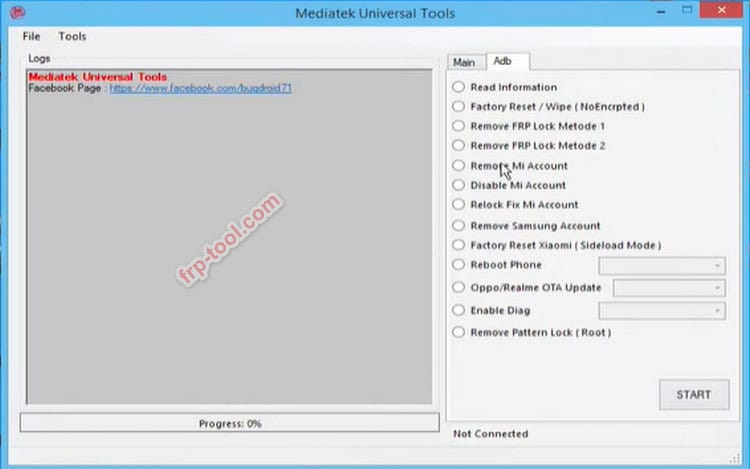
MediaTek Universal Tool
Flash the stock system to a phone.
Read basic phone info.
Wipe user data when you choose.
Help bring back a phone that will not boot.
File Name: MediaTek Universal Tool
File Size: 57.0 MB
Password: Free
Mirror Link MediaTek Universal Tool Latest Version
What it must not do
- Do not use it to break locks.
- Do not try to break maker rules.
- Do not use it on a phone you do not own.
- Do not trust “one click, all fixed” claims.
What you need
- A PC.
- Good USB drivers for the phone.
- A good USB cable.
- The right files for your phone.
- Time and care.
Safer tools to try first
- SP Flash Tool: the long-used tool for MTK phones.
- SP MDT: a shop tool for many.
- mtkclient: an open tool used by many.
Pick one that fits your job. Read the docs for that tool. Use stock files from the maker.
Why some phones will not connect
Newer phones use extra checks by the maker. If your phone has those checks, write steps may fail. The safe way is to use the maker’s own path. Do not try tricks that claim to skip checks. They can break the phone.
Simple safety steps
- Back up first.
- Charge the phone and the PC.
- Use a short, good cable.
- Match the file set to your phone.
- Do not touch the cable while it writes.
- Keep notes of what you did.
- Stop if you are not sure.
Words you may see (plain meaning)
- Boot ROM (BROM): the first code the chip runs.
- Preloader: the next start step for the phone.
- Scatter file: a text file that maps phone parts.
- Driver: the PC part that lets the tool talk to the phone.
- DA: A small loader, the tool sends to the phone.
FAQ
Is this an app from MediaTek?
No. It is not from MediaTek. That is why builds can vary. Be careful with files from other sites.
Can it fix all MTK phones?
No. Each phone is a bit different. Some have extra checks from the maker.
What should I use instead?
Try SP Flash Tool or SP MDT for stock jobs. Use mtkclient if you want an open tool. Always use files from the maker.
Final word.
Use these tools with care. Work only on gear you own or have a clear written OK to fix. The safe path is to put the phone back to stock with files from the maker.