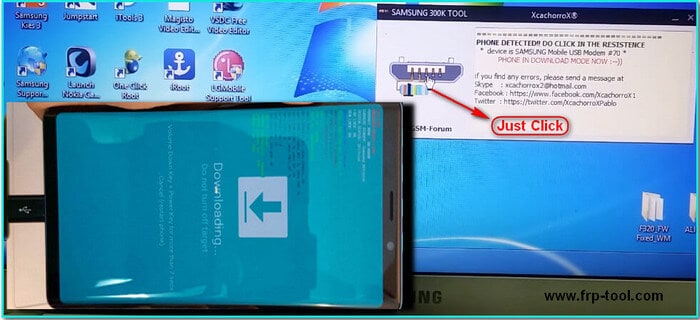
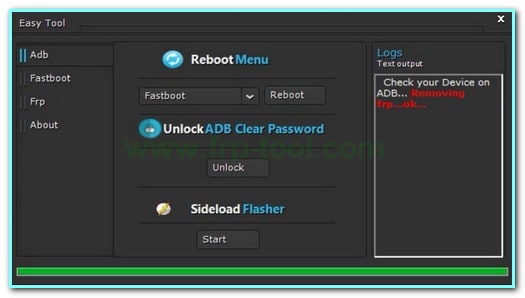
TFT Unlock Tool in 2026 is a Windows-based mobile service program used by repair shops and advanced users to unlock and fix Android phones. It can remove forgotten screen locks, bypass Google account protection (FRP), unlock or relock bootloaders, repair damaged IMEI numbers, and flash stock firmware to revive soft-bricked devices.
By late 2026, most guides point to builds around v6.2.1.1, plus companion tools such as TFT MTP Bypass Tool v6.1.1 and TFT MTK Module. Together, they cover a wide range of chipsets (MTK, Qualcomm, Unisoc, Kirin) and brands like Samsung, Xiaomi, Oppo, Vivo, Huawei, Tecno and Infinix.
Used correctly, TFT Unlock Tool can save a locked or half-dead phone. Used carelessly, it can wipe data, brick the device, or get you into legal trouble if you run it on phones you do not own or control. The safe approach in 2026 is simple:
- Download only from trusted sources
- Use it only on devices you own or are authorized to repair
- Back up everything first and be ready to ask a professional for help if something goes wrong
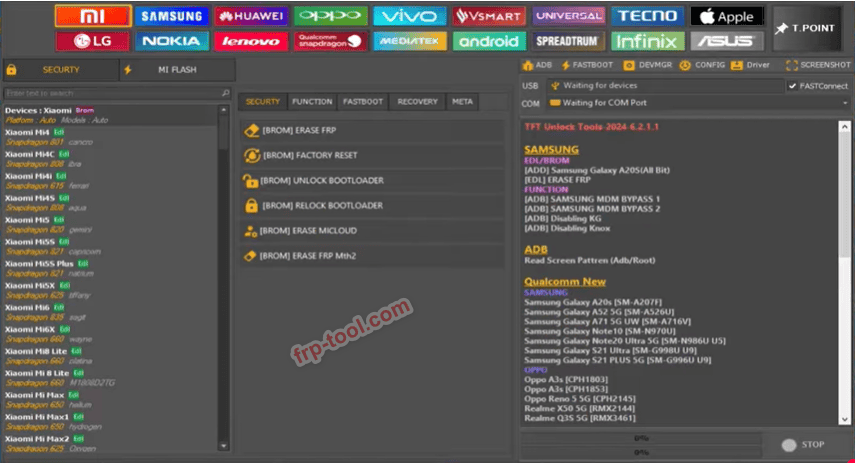
What Is TFT Unlock Tool Latest Version in 2026?
TFT Unlock Tool is a desktop program for Windows that lets technicians and power users unlock and repair Android phones at software level.
Instead of being a simple lock-removal app, it behaves more like a mini service-center console:
- It connects your phone to a Windows PC
- Talks directly to the device in special modes (MTP, ADB, fastboot, EDL, download mode)
- Sends low-level commands to remove locks, repair identity data, or flash firmware
In day-to-day use, TFT Unlock Tool is mainly used to:
- Remove or reset forgotten screen locks
- Bypass Google’s Factory Reset Protection (FRP) on supported models
- Unlock or relock bootloaders
- Repair IMEI and network-related identifiers on certain chipsets
- Flash firmware to restore soft-bricked or boot-looping phones
It’s a powerful piece of software meant for people who understand what can go wrong if a flash or unlock process fails.
Latest Versions and Ecosystem in 2026
Because many mirrors and bundles exist, version numbers can be confusing. However, through 2024–2025, most tool blogs and repair forums consistently reference:
- TFT Unlock Tool v6.2.1.1
Main unlocking and service suite for a wide range of brands. - TFT MTP Bypass Tool v6.1.1 / 6.1.0
A companion tool focused on Samsung devices, often used to remove FRP and perform fast resets over MTP mode. - TFT MTK Module
A dedicated module for MediaTek devices, used for FRP removal, account bypass, and deeper repair tasks.
File Name TFT Unloak Tool
File Size: 302.46 MB
File Coust: Free
password:TFT
Mirror Link: TFT Unlock Tool Latest Version
These builds are typically praised for:
- Expanded support for newer Android versions (roughly Android 6–14)
- Broader compatibility with popular chipsets (MediaTek, Qualcomm, Unisoc, Kirin)
- Additional functions for FRP, screen locks, bootloader work, and firmware tasks
Because so many unofficial mirrors exist, always check:
- The actual build version inside the archive
- The changelog or feature list
- Community feedback on that specific build
Core Features and Supported Devices
Main Functions
Across vendor pages and reviews, the 2026 feature set usually includes:
- FRP bypass
Remove Google account verification after a reset on many supported phones. - Screen lock removal
Clear PIN, pattern and password locks; some builds also address fingerprint and face locks. - Bootloader unlock and relock
Open up or relock the bootloader for advanced customization or repair. - IMEI and network repair
Fix corrupted or missing IMEI and related network identifiers on certain chipsets. - Firmware flashing and reset
Write stock firmware, perform factory resets, and help revive soft-bricked devices stuck in loops or logo screens.
All of these are aimed at legitimate ownership scenarios:
You forgot your password on your own phone
A second-hand phone is still tied to the previous owner’s account and they can’t remove it
A device broke during a failed update and needs a full firmware restore
You can also redmore: BFT Flash Tool
Brands and Chipsets
TFT Unlock Tool and its modules commonly support:
- Android brands
Samsung, Xiaomi, Oppo, Vivo, Realme, Huawei, Tecno, Infinix and more. - Chipsets
- MediaTek (MTK)
- Qualcomm
- Unisoc / Spreadtrum
- Kirin
Support is not identical across all models. New flagships, corporate-managed devices, and heavily locked variants can still block software-only methods. Always check current compatibility lists and recent user reports before relying on any tool.
How TFT Unlock Tool Works (High-Level Process)
Although exact menus change between versions, the typical workflow looks like this:
Step 1: Prepare Your PC
- Use a Windows machine (Windows 7 or later is the most common baseline)
- Install official USB drivers for the device brand (Samsung, Xiaomi, etc.)
- Use a high-quality USB cable and a stable USB port
Step 2: Install TFT Unlock Tool
- Download from a trusted, reputable site
- Extract the archive and run the installer as administrator
- Some builds require a login or password; follow the official instructions
Step 3: Put the Phone into the Correct Mode
Depending on what you want to do and which brand you’re working on, this might involve:
- MTP mode for some Samsung bypass operations
- ADB / developer mode for lighter tasks
- Fastboot, EDL or download mode for deep-level actions and firmware flashing
Each brand has its own key combinations and methods to enter these modes, so double-check instructions for the exact model.
Step 4: Choose the Operation
Inside TFT Unlock Tool you will:
- Pick the brand or chipset
- Select the operation: FRP removal, screen lock removal, bootloader unlock/relock, IMEI repair, firmware flash, etc.
- Confirm the selection and start the process
Step 5: Run and Verify
- Wait until the progress bar or log shows completion
- Reboot the phone
- Test calls, data, Wi-Fi, accounts and lock screen to confirm everything works as expected
If something looks wrong (no network, boot loop, repeated errors), stop and check logs or ask for expert help before trying random options.
Safety, Legality and Real-World Risks
Software and Security Risks
There are three big red flags to watch for:
- Unofficial cracks
Random “cracked” packages may include malware, adware or hidden scripts. - Antivirus conflicts
Some installers ask you to disable antivirus protection. This can be required for older packers but also opens the door to malicious code. - Shady download flows
Endless redirects, forced download managers, and suspicious pop-ups are all signs that the file may not be clean.
To keep your system safe:
- Stick to known sites and original authors whenever possible
- Scan downloaded archives with a reputable security suite
- Avoid tools that only come as “full crack” bundles with no clear origin
Device and Data Risks
Even if the installer is clean, the operations themselves carry risk:
- Data loss
Many FRP, flash, and deep repair actions erase user data. Photos, chats and files can vanish permanently. - Soft-brick or hard brick
Interrupting a flash, using the wrong firmware, or choosing the wrong option can leave the phone stuck in a boot loop or non-booting state. - Warranty issues
Bootloader changes and IMEI edits may void warranty or conflict with the manufacturer’s or carrier’s terms.
Best practice:
- Back up your data before doing anything
- Use a stable power source and cable, and avoid touching the phone while a process runs
- Accept that there is always a small chance something will go wrong
Legal and Ethical Boundaries
Unlocking tools are meant for:
- Devices you own
- Devices where you have clear permission to perform repair work
Using them on stolen, found or otherwise unauthorized phones is illegal in many places and can be traceable. If a device is not yours and you don’t have explicit permission, the only ethical options are:
- Help the original owner reach official support
- Advise them to contact the manufacturer or authorized service center
Where TFT Unlock Tool Stands Out
- Wider range of service-center style tasks (IMEI, deep flashing, bootloader work)
- Better suited for technicians who handle many brands and chipsets
- Close to what dedicated hardware “boxes” used in repair shops can do
Where Commercial Alternatives Win
- Cleaner installations and better handling with security software
- Step-by-step interfaces designed for beginners
- Official support, documentation, and clearer licensing
If you’re only unlocking your own phone and you’re not used to flashing or repair tools, a simpler commercial tool is usually safer. TFT Unlock Tool shines when you:
- Work in a repair environment
- Need a broad toolkit
- Understand logs, modes, and the risks of device-level changes
- Clear and helpful
- Honest about risks
- Well structured with headings and answers
For a topic like TFT Unlock Tool in 2026, this has a few consequences:
Lead With a Direct Answer
Open your article with a straight, human-readable explanation:
- What the tool is
- Who it’s for
- The main problems it solves
That opening paragraph should stand on its own as a concise answer.
Use Natural, Descriptive Headings
Instead of vague titles, use headings that match real searches, for example:
- What Is TFT Unlock Tool in 2026?
- Is TFT Unlock Tool Safe and Legal?
- TFT Unlock Tool vs Commercial Alternatives
This helps both readers and search engines understand your page quickly.
Cover the Whole Job, Not Just the Keyword
Instead of a thin page that says “download TFT Unlock Tool v6.2.1.1” and nothing more, cover:
- What the tool does
- Basic how-to steps
- Compatibility and limitations
- Legal and ethical issues
- Safer alternatives for non-experts
Pages that actually solve the user’s real problem are far more likely to appear in modern search layouts and overview blocks.
Show Real-World Experience and Caution
Search quality updates increasingly reward content that:
- Explains side effects and risks
- Clearly separates safe from unsafe actions
- Encourages lawful, responsible use
On an unlocking topic, that means spelling out where someone should stop, back up, or go to a professional instead of blindly following a script.
Practical Checklist Before You Use TFT Unlock Tool
Use this quick list every time you think about running the tool on a phone.
- Confirm ownership or permission
- Is this your device or are you officially repairing it? If not, stop.
- Back up everything
- If the phone still boots, save photos, videos, documents and chat backups first. Assume you might lose them.
- Prepare a stable setup
- Windows PC, good cable, no wobbly USB ports, and a reliable power supply.
- Download from a trusted source
- Avoid random cracks and mirrors with suspicious pop-ups.
- Scan the file before running it.
- Start with the least risky option
- Check official account-recovery methods.
- Consider a simpler commercial unlock tool before deep-level flashing.
- Know when to stop
- If you see repeated errors, unknown codes, or mismatched firmware, do not keep experimenting. Seek help from a more experienced technician or an authorized service center.
Key FAQs for 2026
Does TFT Unlock Tool still work on recent Android versions?
Most current guides suggest yes, within limits. The tool and its modules have been updated to handle many devices on Android 6 through 14, but not every model is supported. Newer flagships and very secure corporate devices can still resist these methods.
Is TFT Unlock Tool completely free?
You will find free builds and cracked packages, but many safer, better-maintained versions require some kind of license or subscription. In addition, several companies use the name in their marketing while ultimately steering you toward their own paid products.
Do I have to disable antivirus to use it?
Some installers ask you to switch off protection temporarily. That’s a risk: it may be needed for older packers, but it also exposes your system. If a tool cannot run at all without disabling basic protection, it’s worth asking if a cleaner alternative might be better.
Will using TFT Unlock Tool erase my data?
Many unlock and flashing operations are data-destructive. Even if some tasks can keep data intact, you should always behave as if everything might be erased and back up beforehand.
Is using TFT Unlock Tool legal in my country?
Laws differ. In general:
- Using unlocking software on devices you own is often allowed
- Using such tools on devices you do not own or control can be illegal
There may also be specific rules around IMEI repair or bypassing certain protections. When in doubt, read local regulations or consult a professional who understands the law in your region.
Final Thoughts
TFT Unlock Tool in 2025 is a powerful, flexible solution for those who know how to handle it. It can rescue locked and soft-bricked phones, fix identity issues, and support a wide range of brands and chipsets.
But with that power comes responsibility:
- Respect ownership and the law
- Protect your data with backups
- Treat each step carefully, and don’t be afraid to stop and ask for help
Approached with patience and caution, TFT Unlock Tool can be one of the most useful pieces of software in a mobile repair toolkit.