[Published: May 26, 2026 | Last updated: May 26, 2026] | 9 min read
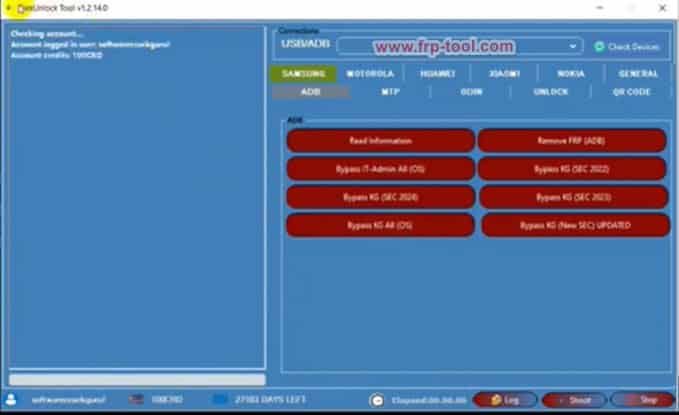
- FlexUnlock Tool is a Windows-based mobile unlocking software that removes FRP locks, bypasses MDM/Knox restrictions, and unlocks bootloaders on Samsung, Motorola, Xiaomi, Huawei, and other Android brands.
- It works fully remotely – no need to send your phone anywhere.
- The tool runs on ADB, Fastboot, MTP, and server-based modes, so it handles both basic and advanced unlocking tasks.
- FlexUnlock reports a 100% success rate across 48,000+ completed operations as of 2026 (FlexUnlock.com, 2026).
- Best for: mobile repair technicians, GSM shop owners, and users locked out of their own device.
File Size: 68MB
Downloa Free cost
Mirror Link:FlexUnlock Tool Crack
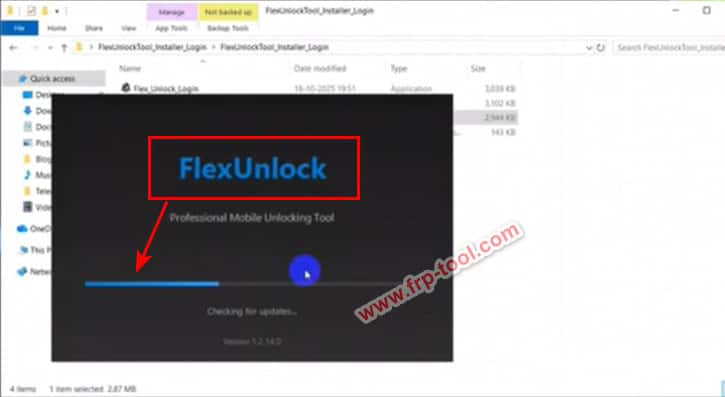
What Is FlexUnlock Tool Crack?
FlexUnlock Tool is a professional Android unlocking and repair utility for Windows. It lets users remove FRP (Factory Reset Protection) locks, bypass MDM (Mobile Device Management) restrictions, unlock Samsung KG State, flash firmware, and repair IMEI – all from one program.
The tool targets both individual users locked out of their phones and professional mobile repair technicians who handle multiple devices daily. It works remotely, meaning you operate it directly from your PC without sending the phone to any service center.
FlexUnlock is developed and maintained by the FlexUnlock team at flexunlock.com, and as of April 2026 runs on version v.2026.04.18.132 (FlexUnlock.com, 2026).
What FlexUnlock Tool Can Do: Full Feature Breakdown
FlexUnlock Tool covers six core functions. Here is what each one does and when you need it.
FRP Bypass – Remove Google Account Lock After Factory Reset
FRP (Factory Reset Protection) activates automatically when a phone is factory reset without first removing the linked Google account. FlexUnlock bypasses this lock without requiring the original Google credentials.
This is the most common use case for the tool – useful when you buy a second-hand phone that still has the previous owner’s account attached.
MDM and Knox IT Admin Bypass
MDM (Mobile Device Management) locks are placed on corporate or enterprise phones by IT administrators. Samsung Knox is Samsung’s version of this security layer. FlexUnlock removes both, restoring full access to the device.
This matters when a company phone is no longer in use but the MDM profile prevents normal operation.
KG State Unlock for Samsung Devices
KG State (Knox Guard) is a Samsung-specific remote lock used by carriers and retailers. A phone in KG State shows a lock screen that cannot be bypassed with a normal factory reset. FlexUnlock specifically targets this restriction and removes it.
This is one of FlexUnlock’s standout functions – not all unlocking tools handle KG State.
Bootloader Unlock and Relock
FlexUnlock unlocks or relocks the bootloader via Fastboot mode with a single command. An unlocked bootloader is required for installing custom ROMs, rooting, or running certain developer tools.
IMEI Repair
The tool can read, back up, and write IMEI numbers on supported devices. This is useful after a bad flash wipes the IMEI, which causes loss of network signal.
Firmware Flashing
FlexUnlock flashes stock firmware through ADB, Fastboot, MTP, and Dload modes. This restores phones stuck in boot loops, soft-bricks, or failed update states.
Supported Brands and Chipsets
| Brand | Key Functions Supported |
|---|---|
| Samsung | FRP, KG State, MDM, Knox, Bootloader, IMEI |
| Motorola | FRP, MDM, Bootloader, Firmware Flash |
| Xiaomi | FRP, Bootloader, ADB Operations |
| Huawei | FRP, Bootloader, Dload Firmware |
| Nokia | FRP, Firmware Flash |
| Tecno / Infinix / Itel | FRP, Flash |
| Google Pixel | FRP, Bootloader |
FlexUnlock works across MTK (MediaTek), Qualcomm, Unisoc (SPD), and Exynos chipsets (FlexUnlock.com, 2026).
How to Download and Install FlexUnlock Tool
This takes about 5 minutes on any Windows PC.
Step 1: Create a Free Account
Go to user.flexunlock.com and register for a free account. FlexUnlock offers lifetime free login access for basic operations.
Step 2: Download the Latest Version
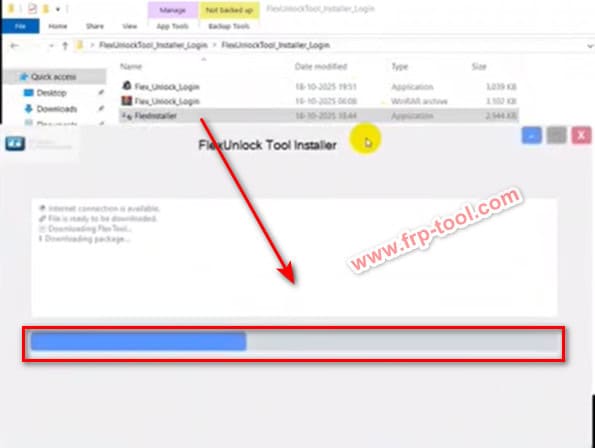
Go to flexunlock.com/download.php and download the latest version (v.2026.04.18.132 as of this writing). The file is a standard Windows installer.
Step 3: Install the Software
Run the downloaded installer. Follow the on-screen prompts to complete installation. No special configuration is needed during setup.
Step 4: Log In with Your Account
Open FlexUnlock Tool and log in using the account you created in Step 1. An active internet connection is required for the initial login and for server-based operations.
Step 5: Connect Your Device
Connect your Android phone to your PC via USB. Enable USB Debugging on the phone (Settings > Developer Options > USB Debugging) before connecting.
If Developer Options is not visible: go to Settings > About Phone, then tap “Build Number” seven times to unlock Developer Options.
How to Use FlexUnlock Tool: Step-by-Step for Common Tasks
How to Remove FRP Lock
- Open FlexUnlock Tool and log in.
- Connect your device via USB with USB Debugging enabled.
- Select your device brand from the list.
- Choose “FRP Removal” or “FRP Bypass” from the available options.
- Click Start and wait for the process to complete – this usually takes 2 to 5 minutes.
- The phone will reboot and prompt for a new Google account setup.
How to Bypass MDM / Knox IT Admin Lock
- Connect your device via USB.
- Select “MDM Bypass” or “Knox IT Admin Bypass” from the Samsung section.
- Click Execute and wait for the tool to communicate with FlexUnlock’s server.
- The device will reboot with MDM restrictions removed.
How to Unlock KG State on Samsung
- Connect the Samsung device.
- Navigate to the KG State section in FlexUnlock.
- The tool reads the device’s current lock status.
- Select “KG Unlock” and confirm.
- Wait for the server response – this is server-based and requires an internet connection.
Common Problems and Fixes
| Problem | Likely Cause | Fix |
|---|---|---|
| Device not detected | USB Debugging not enabled | Enable USB Debugging in Developer Options |
| Login fails at startup | No internet or outdated version | Connect to internet and download the latest version from flexunlock.com |
| FRP bypass fails mid-process | Device in wrong mode | Reboot device to ADB mode and retry |
| KG unlock not completing | Server timeout | Check your internet connection and retry; 24/7 support is available via Telegram |
| IMEI shows blank after flash | Bad flashing sequence | Use the IMEI repair function immediately after flashing firmware |
FlexUnlock Tool vs Other Mobile Unlocking Tools
| Feature | FlexUnlock | Generic FRP Tools | Paid Box Tools (e.g. Octoplus) |
|---|---|---|---|
| KG State Unlock | Yes | No | Yes (paid credit) |
| MDM / Knox Bypass | Yes | Rarely | Yes (paid credit) |
| Remote Operation | Yes | No | No |
| Price | Free login / Paid packages | Free | Expensive hardware + credits |
| Multi-brand Support | Yes | Limited | Yes |
| API Access | Yes | No | No |
Who Should Use FlexUnlock Tool
Mobile repair technicians are the primary audience. The tool handles high-volume work efficiently, with bulk order pricing and an API for shops that want to integrate it into their own systems.
GSM resellers benefit from the reseller program at flexunlock.com/reseller.php, which offers wholesale pricing on unlocking credits.
Individual users locked out of their own device – whether from a forgotten Google account, a second-hand phone with a prior owner’s lock, or a corporate MDM they can no longer access – can use the basic free tier for single operations.
Frequently Asked Questions About FlexUnlock Tool
What is FlexUnlock Tool?
FlexUnlock Tool is a Windows-based Android unlocking and repair program. It removes FRP locks, bypasses MDM/Knox restrictions, unlocks KG State on Samsung devices, and flashes firmware – all remotely from a connected PC.
Is FlexUnlock Tool free to use?
FlexUnlock offers a free lifetime login that covers basic operations. Advanced functions – particularly server-based ones like KG State unlock and MDM bypass – are available through paid packages listed at flexunlock.com/packages.php.
Which Android brands does FlexUnlock support?
FlexUnlock supports Samsung, Motorola, Xiaomi, Huawei, Nokia, Tecno, Infinix, Itel, and Google Pixel. It works across MTK, Qualcomm, Unisoc, and Exynos chipsets.
Does FlexUnlock work on iPhones?
The official website lists iPhone support in its service description (flexunlock.com, 2026), though the tool’s primary strength and documented feature set is Android-focused. Check the supported models page at flexunlock.com/supported_brand.php for the current iPhone compatibility list.
What is KG State and why does FlexUnlock matter for it?
KG State (Knox Guard) is a remote lock Samsung carriers and retailers place on financed or lease-locked devices. It cannot be bypassed with a normal factory reset. FlexUnlock is one of the few tools that specifically removes KG State locks, which is why it is popular among technicians handling locked Samsung devices.
Is using FlexUnlock Tool legal?
Using an unlocking tool on a device you own is legal in most countries. Unlocking someone else’s device without authorization, or bypassing MDM on a corporate phone you do not own, may violate laws or contracts in your jurisdiction. Always confirm you have the right to unlock the device before proceeding.
How do I contact FlexUnlock support?
FlexUnlock offers 24/7 support via Telegram at t.me/FlexUnlockTool and by email at contact-us. A support forum is also available at flexunlock.com/support_forum.php.
Key Takeaways
- FlexUnlock Tool handles FRP bypass, KG State unlock, MDM/Knox bypass, bootloader unlock, IMEI repair, and firmware flashing from one Windows program.
- It works remotely – no hardware box required – and supports over 48,000 completed operations with a 100% reported success rate (FlexUnlock.com, 2026).
- The free login tier covers basic use; paid packages unlock server-based operations like KG State and MDM bypass.
- Mobile technicians and GSM resellers get the most value from it, but individual users locked out of their own device can also use it for single operations.
- Always verify device compatibility at flexunlock.com/supported_brand.php before starting any operation.