The iEZ Pro Bypass Tool has become a popular name in online communities where people discuss unlocking or repairing iPhones and iPads. While it promises powerful features, it also comes with serious risks, both technical and legal. Before you consider using it, it’s important to understand what the tool actually does and why many experts recommend caution.
What is the iEZ Pro Tool?
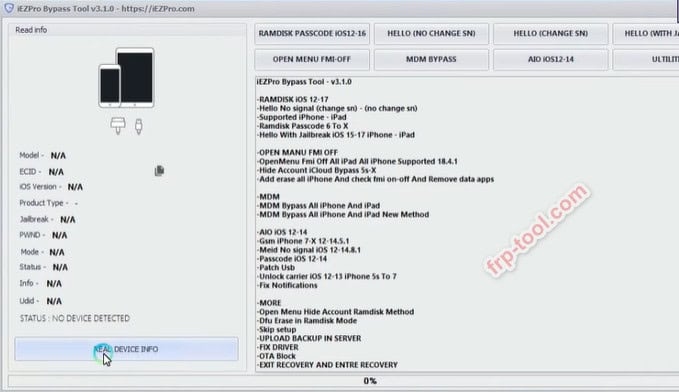
iEZ Pro is a software tool used mainly by phone repair technicians. It claims to help users:
-
Skip the “Hello” setup screen
-
Remove certain activation locks
-
Remove school or workplace management restrictions
-
Fix various phone-related issues
-
Run small repair or maintenance tasks
The tool is updated frequently, and each version promises new features or better results. However, none of these features is officially supported by Apple.
Where People Download iEZ Pro
-
Random websites
-
Telegram channels
-
YouTube tutorials
-
Tech blogs
-
Online forums
Reviews are mixed. Some people say it works for their needs, while others report that it caused serious device problems. Because copies of the tool float around unofficial sources, many downloads are unsafe or contain malware.
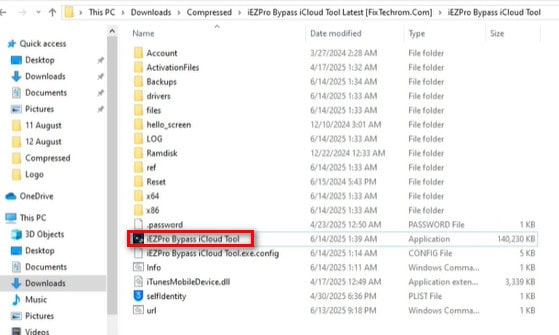
File Name: iEZ Pro Tool V3.1.0
File Size: 395.03 MB
Developer: iEZPro Team
Password: iez
Mirror Link iEZ Pro Tool V3.1.0 Latest Version
How iEZ Pro Works
The process is usually the same:
-
Install the tool on a computer
-
Connect the iPhone or iPad
-
Put the device into a special recovery/DFU mode
-
Allow the tool to modify the system
Because this process changes system files and security settings, it can easily damage the device.
You can also read more: Apple Mobile Device USB Driver
What People Try to Do With It
Users often turn to iEZ Pro to:
-
Skip setup screens
-
Bypass activation or security locks
-
Hide or remove iCloud accounts
-
Disable school or workplace management (MDM)
-
Fix cellular or signal issues
-
Block software updates
-
Use or install jailbreak-related tools
These actions can be dangerous, especially if the device still belongs to an organization or another user
Important Risks to Understand
Legal Issues
Bypassing activation locks or modifying devices you do not own is illegal in many places. Even attempting to unlock someone else’s device can be treated as a crime.
Apple Will Not Help
If you use tools like iEZ Pro:
-
The warranty is void
-
Apple may refuse repairs
-
Trade-ins can be rejected
Apple devices track unauthorized modifications.
High Chance of Device Damage
Users often report problems such as:
-
Devices stuck on a permanent screen
-
No cellular signal
-
Poor battery performance
-
Endless restart loops
Many Downloads Are Fake
Because iEZ Pro is unofficial, many versions online include:
-
Malware
-
Spyware
-
Corrupted files
Safer Options Before Using Tools Like This
If you’re trying to fix or unlock a device, consider:
✔️ Contacting Apple Support
✔️ Asking the original owner to unlock the device
✔️ Avoiding removal of school or work controls
✔️ Using the device for spare parts if it cannot be restored safely
These options are legal, safer, and won’t damage your device.
Should You Use iEZ Pro?
-
You fully own the device
-
Apple is unable to help
-
You understand the risks involved
-
You’re comfortable repairing devices
Definitely not if:
-
The device doesn’t belong to you
-
It’s a work or school device
-
The download source looks suspicious
-
You’re unsure how to recover a broken device
Final Thoughts
The iEZ Pro Bypass Tool can be useful in limited situations, but it’s far from safe. For most people, using it is unnecessary and potentially harmful. When in doubt, always choose the safest route:
➡️ Contact Apple
➡️ Ask the real owner
➡️ Use professional repair services
Tools like iEZ Pro should only ever be a last resort, and only for devices you legally own.