[Published: DATE | Last updated: DATE] | 8 min read
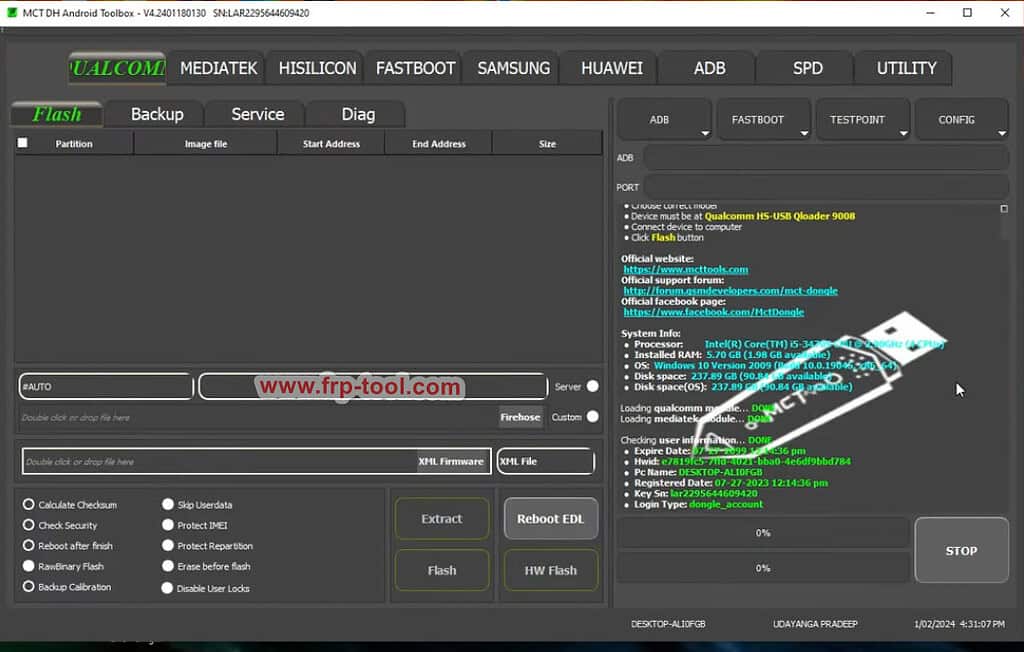
- MCT Dongle (Mobile Communication Tool) is a hardware dongle used by phone repair technicians to flash, unlock, and repair Android devices
- It supports thousands of Android phone models across brands like Samsung, Huawei, Xiaomi, Oppo, and more
- The dongle is sold as a one-time purchase with no annual subscription – activation is tied to the hardware, not a recurring fee
- “Lifetime free” refers to free software updates included with the dongle purchase, not a free dongle itself
- Counterfeit MCT Dongles exist widely – buying from unofficial sources risks getting a non-functional or blacklisted device
Miroro Link: MCT Dongle Crack
What Is MCT Dongle Crack?
MCT Dongle is a USB hardware tool used by mobile phone repair technicians to perform operations like flashing firmware, removing FRP (Factory Reset Protection) locks, unlocking network SIM locks, and repairing IMEI numbers on Android devices. The acronym MCT stands for Mobile Communication Tool.
It connects to a Windows PC via USB. Once connected and authenticated against the MCT server, it gives the technician access to the MCT software suite, which supports direct one-click operations on hundreds of Android models without needing to root or manually sideload files.
How MCT Dongle Works
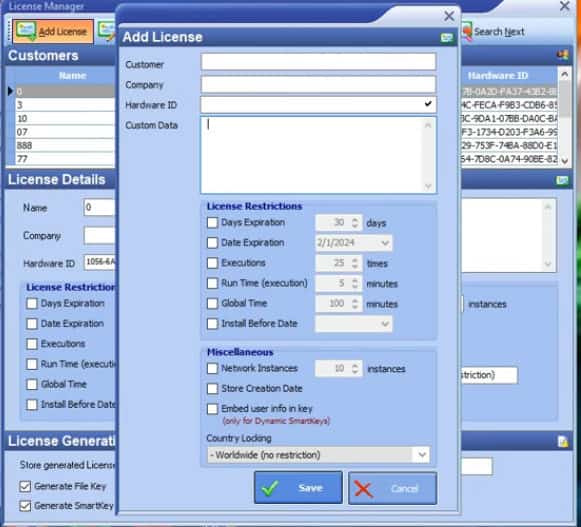
MCT Dongle operates on a hardware authentication model. The dongle itself is the license – there is no username/password subscription to renew each year.
Here is how the process works from purchase to use:
| Step | What Happens |
|---|---|
| 1. Purchase | You buy the physical dongle from an authorized reseller |
| 2. Registration | Register the dongle serial number on the MCT official portal |
| 3. Driver install | Install MCT USB drivers on a Windows PC |
| 4. Software launch | Open MCT software – the dongle authenticates online automatically |
| 5. Device connection | Connect the target Android phone via USB or test point |
| 6. Operation | Select the function (flash, unlock, FRP remove) and execute |
The software checks the dongle’s hardware ID against MCT’s activation servers each session. This is why the dongle must stay connected during operations and why internet access is required.
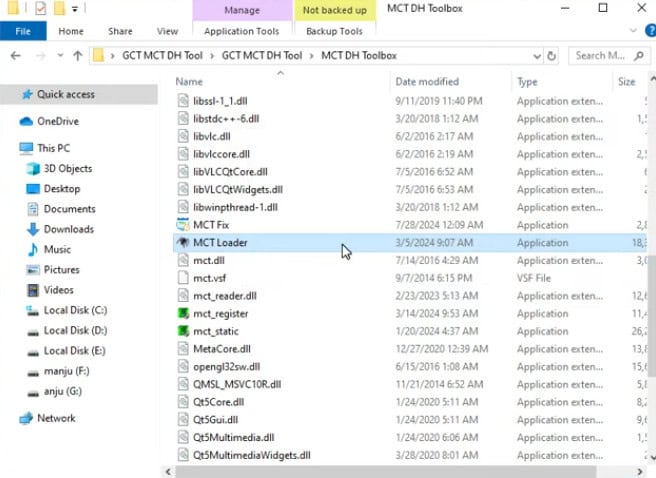
What “Lifetime Free” Actually Means for MCT Dongle
“Lifetime free” is the most searched – and most misunderstood – phrase around MCT Dongle. It does NOT mean the dongle is available for free download or free to obtain.
It means two specific things:
One-time payment model: You pay once for the hardware. There is no annual renewal fee, no subscription tier, and no credit system to top up. The money you pay at purchase is the only payment MCT charges for software access.
Free software updates for life: When MCT releases new phone model support, new bypass methods, or updated flashing modules, those updates download automatically at no extra cost. A dongle bought in 2021 gets the same 2025 module updates as a dongle bought this year.
This makes MCT different from tools like Sigma Box or Octoplus, which often sell credits per operation or charge annual activation fees.
Read more: Samsung FRP Tool
What MCT Dongle Can Do: Supported Functions
MCT Dongle covers the core operations that phone repair shops handle daily.
FRP Bypass and Google Account Removal
FRP lock activates when a phone is factory reset while a Google account is signed in. MCT bypasses this without needing the original account credentials. It supports direct FRP removal on Samsung, Xiaomi, Oppo, Vivo, Realme, and Tecno devices, among others.
Network Unlock (SIM Unlock)
MCT can remove carrier SIM locks on supported models, allowing a locked phone to work on any network. This is particularly useful for phones imported from markets with carrier-branded firmware.
Firmware Flashing
Technicians use MCT to flash stock firmware when a phone is stuck in a bootloop, bricked after a failed update, or showing persistent software errors. MCT automates the process – it detects the model and pulls the correct flash procedure.
IMEI Repair
On supported chipsets (primarily MediaTek), MCT can write or repair a corrupted IMEI number. This is a regulated operation in many countries and should only be performed legally on owned devices.
Read More:Pandora Box
Which Phones Does MCT Dongle Support?
MCT Dongle supports a wide range of Android brands. The exact model list updates with each software release, but the main covered brands as of recent updates include:
- Samsung (including older Exynos and newer Snapdragon variants)
- Huawei and Honor
- Xiaomi, Redmi, and POCO
- Oppo, Realme, and OnePlus
- Vivo
- Tecno, Itel, and Infinix
- Nokia (Android models)
iPhone and other iOS devices are not supported. MCT is strictly an Android tool.
The MCT official website maintains an up-to-date supported models list at mct-box.com. Always check before purchasing if your target device is the deciding factor.
MCT Dongle vs. Similar Tools: How It Compares
| Tool | Payment Model | Strengths | Weaknesses |
|---|---|---|---|
| MCT Dongle | One-time purchase, lifetime updates | No renewal fees, wide Android support | Windows only, no iOS |
| Octoplus Box | Per-module purchase + credits | Strong Samsung coverage | Credit costs add up |
| Sigma Box | Annual activation | Good Qualcomm support | Renewal required |
| Z3X Pro | One-time + credits | Deep Samsung support | Expensive, Samsung-focused |
| UFi Box | One-time purchase | eMMC/ISP operations | Limited FRP support |
MCT sits well for shops that handle a mix of brands and want predictable costs without credit systems.
You can also read more: MRT Tool
Common Mistakes to Avoid with MCT Dongle
- Buying from unofficial sellers: Cloned and blacklisted dongles are common on eBay, AliExpress, and Alibaba. A blacklisted dongle serial will not authenticate with MCT servers. Always buy from resellers listed on mct-box.com.
- Running without internet: MCT requires an active internet connection for server-side authentication each session. Offline mode is not available. Attempting to use the dongle without internet will result in an authentication error.
- Using outdated drivers on Windows 11: MCT USB drivers built for Windows 7 and 10 can cause device recognition failures on Windows 11. Download the latest driver package from the official site, not from third-party mirror sites.
- Assuming all functions work on all phones: Not every feature is available for every model. FRP bypass on a Samsung A54 uses a different method than on a Xiaomi Redmi Note 12. Check the MCT function matrix for your specific model before attempting.
- Confusing MCT with cracked software: Cracked or emulated MCT software circulates on forums. These versions either do not work, install malware, or use stolen dongle credentials that get blacklisted. There is no legitimate free version of MCT.
Frequently Asked Questions About MCT Dongle
What is MCT Dongle?
MCT Dongle is a USB hardware authentication tool for Android phone repair. It gives technicians access to flashing, FRP bypass, SIM unlock, and IMEI repair functions through the MCT software suite on Windows. The dongle acts as the license – no subscription is needed after purchase.
Is MCT Dongle really lifetime free?
The dongle itself is not free – it has a one-time purchase price. “Lifetime free” means there are no ongoing fees or annual renewals. Software and model updates are included permanently after the initial hardware purchase.
How much does MCT Dongle cost?
Pricing varies by reseller and region. As of recent listings, MCT Dongle is typically priced between $30-$60 USD from authorized resellers. Prices significantly below this range on unofficial marketplaces are a warning sign of counterfeit hardware.
Does MCT Dongle work on iPhone?
No. MCT Dongle is an Android-only tool. It does not support iOS devices, iPadOS, or any Apple hardware.
What is the difference between MCT Dongle and MCT Box?
MCT Dongle refers to the standard USB dongle form factor. Some sellers list “MCT Box” as a bundle that includes the dongle alongside additional cables and adapters for test point connections. The core software and license are the same – the box version just adds hardware accessories.
Can I use MCT Dongle on Mac or Linux?
No. MCT software runs on Windows only (Windows 7, 8, 10, and 11). Mac and Linux are not supported. Running it through a virtual machine on Mac is possible but not officially supported and may cause USB passthrough issues.
Key Takeaways
- MCT Dongle is a one-time purchase hardware tool – no subscription, no credits, no annual renewal
- “Lifetime free” means free software updates forever, not a free product
- It covers FRP bypass, SIM unlock, firmware flashing, and IMEI repair across major Android brands
- Only buy from authorized resellers listed on mct-box.com – counterfeit dongles are widespread
- MCT runs on Windows only and requires an active internet connection for authentication