The EFT Dongle Setup Tool in 2026 is the official software that works with the EFT Dongle Setup Tool Latest Update to unlock, repair, flash, and service a wide range of Android and iOS devices. To get it running, you simply install the newest EFT Pro setup on a Windows computer, register and activate your dongle, log in with your account, and allow the tool to update to the latest build. Once updated, you can select your device chipset MTK, SPD, Qualcomm, Apple, Samsung, and more, and begin performing professional repair tasks.
This guide covers everything needed for a smooth setup, including the latest 2026 features, supported functions, workflow improvements, and troubleshooting.
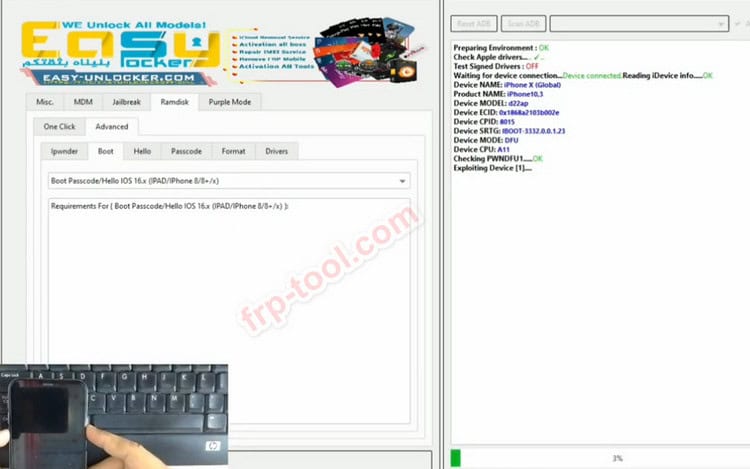
What the EFT Dongle Setup Tool Does
EFT Pro Dongle is widely used in mobile repair shops because it enables technicians to:
- Remove FRP and screen locks
- Perform factory resets and userdata formatting
- Flash stock firmware and unbrick devices
- Repair IMEI and network issues on supported models
- Carry out specific Apple tasks, such as iCloud or MDM bypass (on eligible versions)
Supported chipsets include MTK, SPD, and Qualcomm, along with broad Android and iOS coverage. Recent versions also introduce expanded support for Android 15 devices and iOS builds around 26.x.
System Requirements for 2026
Before installation, ensure your workstation meets these standards:
- Windows 10 or 11 (64-bit)
- Minimum 8 GB RAM (16 GB recommended)
- Stable broadband connection
- Genuine EFT Pro Dongle from an authorized reseller
- High-quality USB cable and reliable USB port
- Required USB drivers for MTK, SPD, Qualcomm, and Apple devices
A stable computer setup prevents common errors such as “dongle not found” or failed device detection.
File size: 77.61MB
Mirror Link EFT Dongle Setup Tool Version V5.3.1 Build 001
How to Download the Latest EFT Pro Setup
For 2026, the safest download sources remain:
- Official developer platforms
- Verified firmware websites and authorized resellers
- Established mobile servicing blogs and forums with direct mirrors
Most updated releases follow a numbering pattern like V5.2.x, V5.3.x, and so on, each listing supported models, new features, and bug fixes. Avoid cracked or modified versions, as they often cause malfunctions or security risks.
Installation Steps EFT Pro
Extract and Install
- Download and extract the ZIP or RAR file.
- Run the installer as Administrator.
- Complete the setup and install all necessary drivers.
Connect the Dongle
Insert the EFT Pro Dongle into a stable USB port. Allow Windows to install the smart-card driver automatically.
Launch the Tool
Open the EFT Pro application from your desktop. If prompted, proceed with registration.
Registration, Activation, and Login
Registration
First-time users will see a registration form asking for name, email, password, and dongle serial details. Submit the form and wait for confirmation.
Activation
Many dongles come with an initial one-year activation period. After activation is completed, all server-based features become accessible.
Login
Enter your registered email and password to access the dashboard.
Updating EFT Pro for 2026
EFT Pro uses a streamlined online update system:
- Open the tool and check for updates.
- Install available updates before starting any operation.
- Restart the tool once the update is applied.
These updates frequently add support for new Android and iOS versions, new chipsets, and new security patch levels.
Navigating the Dashboard
Android / MTK / SPD / Qualcomm
Within these sections, technicians can:
- Read device information
- Reset FRP
- Perform factory resets
- Flash firmware
- Repair IMEI (within permitted regulations)
Newer versions also include automatic loader detection and expanded support for newer chipsets.
Apple
This area covers:
- iCloud bypass options
- Hello-screen solutions
- MDM removal workflows
- Support for recent iOS versions
Each iOS operation depends on the model and version, so follow the instructions provided within the tool or in update notes.
Common Use Cases in 2026
Technicians typically rely on EFT Pro for:
- Android 15 FRP solutions on MTK and SPD devices
- Qualcomm-based Samsung resets and flashing tasks
- HONOR and Huawei MDM or demo-mode removal
- iCloud and MDM workflows for select iOS devices
The tool continues to expand brand coverage as new models arrive.
Troubleshooting Guide
Dongle Not Found
- Switch USB ports (preferably rear ports)
- Try a shorter, high-quality USB cable
- Reinstall drivers
- Temporarily disable antivirus or whitelist the EFT folder
Server Offline or Login Failure
- Check your internet connection
- Verify system date and time
- Look for temporary maintenance announcements
- Restart the tool and retry
FRP or Flashing Errors
- Update to the latest EFT version
- Ensure the device is in the correct connection mode
- Use original or certified cables
- Verify that the device model and security patch are supported
Professional Safety and Best Practices
To maintain trust and avoid issues:
- Always get written consent from device owners
- Never attempt unlocks or IMEI repairs on unverified devices
- Comply with regional regulations
- Use only official dongles and software
- Back up data whenever possible
Ethical repair practices protect both the technician and the customer.
How to Make Content About EFT Dongle Stand Out in 2026
To remain visible as search behavior evolves:
- Start with a clear, direct answer (like the introduction).
- Use structured sections and precise headings.
- Write practically for technicians, not for algorithms.
- Keep the article updated with new versions and supported models.
- Add related guides, such as troubleshooting dongle errors or brand-specific flashing steps.
Frequently Asked Questions
Which version should I use in 2026?
Always use the latest official version available. Updates arrive regularly, so check the tool’s update window.
Does EFT Pro support every phone?
No tool supports every device or security patch. Check release notes for model compatibility.
Is it safe to use cracked versions?
No. Cracked tools can damage devices, compromise security, and violate legal terms.
How do I stay updated?
Follow trusted mobile servicing forums, official channels, and credible firmware blogs for version announcements.
Conclusion
The EFT Dongle Setup Tool remains a reliable, powerful solution for mobile repair technicians entering 2026. With proper setup, regular updates, and safe servicing practices, it can handle a vast range of Android and iOS tasks from FRP removal and flashing to advanced repair workflows. Keeping your tool legitimate, updated, and well-maintained ensures consistent performance and long-term value.