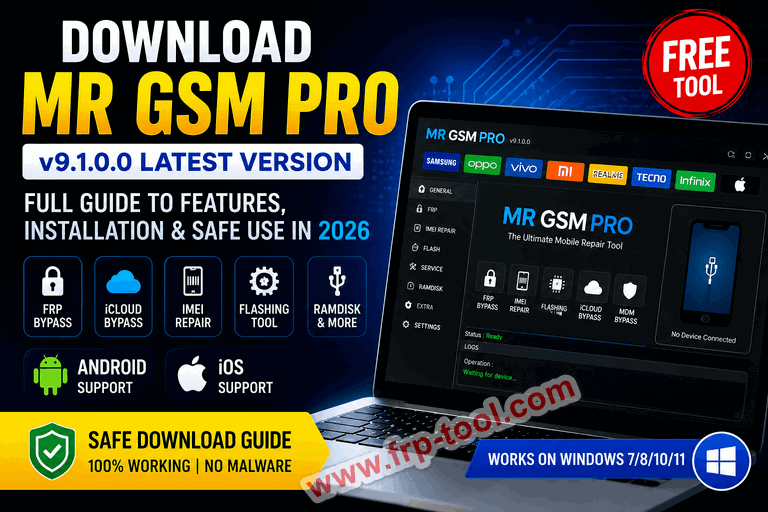
- MR GSM PRO is a free mobile repair and flashing tool for professional phone technicians, with support for Android and iOS devices.
- The latest release is v9.1.0.0, which adds dedicated support for A5 and A6 processor devices including Samsung, Oppo, and Vivo.
- Download only from official GSM forums like GSM-Forum or verified tech blogs – dozens of fake copies circulate online with malware.
- Always disable your antivirus temporarily before installing, and run the setup file as Administrator – the tool accesses low-level drivers that trigger false positives.
- It covers FRP bypass, IMEI repair, iCloud bypass, RAMDisk operations, and firmware flashing in a single package.
Download MR GSM PRO Full Version: MR GSM PRO v9.1.0.0,
What Is MR GSM PRO and Who Is It For?
MR GSM PRO is a professional mobile repair software that combines flashing, FRP bypass, IMEI repair, and iCloud unlock into one tool. It targets phone repair technicians who would otherwise need three or four separate paid tools to do the same work.
Instead of using separate tools for FRP, flashing, and IMEI repair, MR GSM PRO puts everything in one place – cutting repair time significantly. Professional FRP boxes and dongles can cost hundreds of dollars, making this free tool a practical alternative for repair shops.
The tool works on both Android and iOS devices. On the Android side, it handles Samsung, Oppo, Vivo, and other brands. On iOS, it covers iCloud bypass, MDM removal, and RAMDisk operations across a wide range of iPhone and iPad models.
What MR GSM PRO v9.1.0.0 Can Do: Full Feature Breakdown
MR GSM PRO packs a wide range of repair functions across Android and Apple devices. Here is what each category covers.
Android Features
The tool handles FRP bypass via USB debugging across Android OS 5 through 9, FRP bypass in Download Mode for over 200 Samsung models (both old and new), and FRP reset via ADB with or without root. It also supports EDL Mode FRP bypass and IMEI repair including reading, restoring, and repairing EFS data. On top of that, it handles modem repair, baseband repair via ADB and Download Mode, and one-click SIM unlock.
iOS and Apple Device Features
The tool supports GSM signal bypass for iOS 12 to 14.5.1, MEID/iPad bypass without signal for iOS 12 to 14.8, RAMDisk for iPads on iOS 15 to 17, MDM bypass without jailbreak from iOS 10 to 17, iCloud login fix from iOS 12 to 17, and passcode bypass with Hello screen bypass via serial number change.
A5 and A6 Chipset Support (New in v9.1)
Many flashing tools struggle with A5 and A6 based devices. MR GSM PRO v9.1.0.0 handles these chipsets without errors – whether you are working with Samsung, Oppo, Vivo, or any other brand using those processors.
You can all so read more:
How to Download MR GSM PRO Safely
The biggest risk with this tool is not the software itself – it is downloading a fake copy from the wrong site.
There are many fake copies floating around online that contain malware or adware. Always download from the official MR GSM website or well-known GSM forums like GSM-Forum, XDA Developers, or reputable tech blogs. Avoid random download sites filled with pop-up ads and fake download buttons.
Where to get the verified download:
- GSM-Forum (gsm-forum.com) – the largest dedicated community for GSM repair tools
- XDA Developers (xda-developers.com) – verified developer threads
- IAASTEAM (iaasteam.com) – hosts the official release posts with file passwords
What to check before downloading:
- File password matches what the developer posted (e.g., “MR GSM PRO @mrgsmtools” for v7.0)
- The file size is consistent with what is listed on the release post
- The post has comments from real technicians confirming it works
How to Install MR GSM PRO: Step-by-Step
What You Need Before You Start
- A Windows PC (Windows 7, 8, 10, or 11)
- USB cable compatible with the phone you are repairing
- WinRAR or 7-Zip to extract the downloaded archive
- The correct file password from the official release post
- Temporary antivirus exemption set up (explained in Step 2)
Step 1: Extract the Downloaded Archive
Right-click the downloaded ZIP or RAR file and select “Extract Here” or “Extract to [folder name].” When prompted for a password, enter the file password from the official release post exactly as written – these passwords are case-sensitive.
Step 2: Disable Your Antivirus Temporarily
Most antivirus programs flag GSM tools as malware because these tools access low-level system functions and phone partitions. The file is safe, but your antivirus will likely block or delete it.
Go to your antivirus settings and either disable real-time protection or add the extracted folder as an exception. Re-enable protection after installation is complete.
Step 3: Run the Setup as Administrator
Right-click the setup file and select “Run as Administrator.” This is necessary because the tool needs to install drivers that require admin privileges.
Follow the on-screen installer prompts. If Windows Defender SmartScreen blocks the file, click “More info” then “Run anyway.”
Step 4: Install the Required Drivers
Once the main tool installs, open the “Drivers” folder inside the extracted directory and run the driver installer. These drivers let your PC communicate with connected phones. Restart your PC after drivers finish installing.
Step 5: Launch the Tool and Log In
Open MR GSM PRO from the desktop shortcut. Enter the login credentials provided with the download, click Login, and you can start performing operations on your devices immediately. Connect your target phone via USB before selecting any repair operation.
Common Problems and How to Fix Them
| Problem | Likely Cause | Fix |
|---|---|---|
| Tool deleted on download | Antivirus blocking it | Add folder to antivirus exceptions before extracting |
| “Driver not found” error | Drivers not installed | Run the driver installer from the Drivers folder as Admin |
| Phone not detected | USB debugging not enabled | Go to Settings > Developer Options > Enable USB Debugging |
| Login fails | Wrong credentials | Copy credentials directly from the official release post |
| Tool crashes on launch | Incomplete extraction | Delete folder, re-extract with correct file password |
MR GSM PRO vs Paid Alternatives: Is It Worth Using?
MR GSM PRO is free. The main trade-off against paid tools is support frequency and update speed.
Paid boxes like Octoplus or Z3X update within days of a new Samsung firmware release. MR GSM PRO updates follow the developer’s schedule, which can lag by weeks for very new device models. For a repair shop handling the latest flagship phones at volume, a paid subscription may still make sense.
For technicians handling mid-range and older devices – or shops that want to reduce software costs – MR GSM PRO covers the most common repair tasks without a subscription fee.
Frequently Asked Questions About MR GSM PRO
What is MR GSM PRO?
MR GSM PRO is a free mobile flashing and repair tool for phone technicians. It handles FRP bypass, IMEI repair, firmware flashing, and iCloud bypass across Android and iOS devices in one package.
Is MR GSM PRO safe to download?
The tool itself is safe when downloaded from verified sources like GSM-Forum or XDA Developers. Antivirus programs flag it as a false positive because it accesses low-level phone partitions – this is expected behavior, not actual malware.
What Android devices does MR GSM PRO support?
It supports Samsung, Oppo, Vivo, and other Android brands. The v9.1.0.0 release specifically adds tested support for devices running A5 and A6 processors. It also supports a wide range of MediaTek CPUs including MT6739, MT6750, MT6755, and MT6761.
What iOS versions does MR GSM PRO support?
The tool supports iOS 12 through iOS 18, covering iCloud bypass, jailbreak, RAMDisk features, FMI bypass, and MDM bypass across that range.
Does MR GSM PRO work on Windows 11?
Yes. The tool runs on Windows 7, 8, 10, and 11. Run the setup as Administrator on any version to ensure drivers install correctly.
Why does my antivirus flag MR GSM PRO?
GSM repair tools access low-level system drivers and phone partitions – the same areas that security software monitors for threats. This triggers a false positive. The file from verified sources does not contain malware.
What is the difference between MR GSM PRO and MR GSM MTK Tool?
MR GSM PRO is the full-featured tool covering both Android and iOS repair operations. MR GSM MTK Tool is a separate, more focused tool that targets MediaTek CPU devices specifically, handling FRP bypass, factory reset, bootloader operations, and IMEI repair on MTK chipsets only.
Key Takeaways
- MR GSM PRO v9.1.0.0 is the current release, with confirmed support for A5 and A6 processor devices.
- Download only from GSM-Forum, XDA Developers, or IAASTEAM – fake copies with malware are common.
- Always run the installer as Administrator and disable antivirus before extracting the archive.
- The tool covers Android FRP bypass, IMEI repair, and iOS iCloud/MDM bypass without any subscription cost.
- For very new flagship devices, check the official release thread to confirm your target model is supported before downloading.