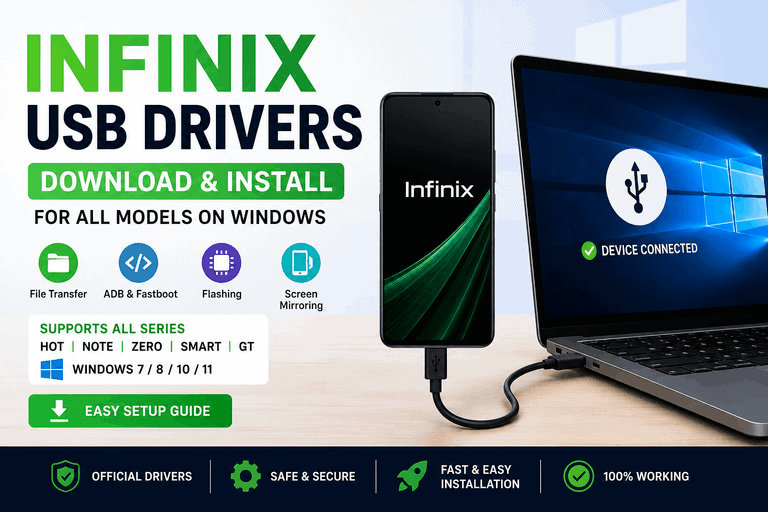
- Infinix USB drivers let Windows recognize your Infinix phone for file transfer, flashing, and ADB debugging.
- One universal driver package covers all Infinix models, including Hot, Note, Zero, Smart, and GT series.
- Download the official driver from Infinix or use the MediaTek VCOM / Spreadtrum driver depending on your chipset.
- Installation takes under 5 minutes on Windows 10 and Windows 11.
- If Windows doesn’t detect your phone after installing, switch USB mode to “File Transfer (MTP)” on your device.
What Are Infinix USB Drivers and Why You Need Them
Infinix USB drivers are small software files that tell Windows how to communicate with your Infinix smartphone over a USB cable. Without them, Windows either fails to detect the phone entirely or shows it as an “Unknown Device” in Device Manager.
You need Infinix USB drivers for four main tasks:
- File transfer – moving files, photos, or videos between phone and PC
- ADB and Fastboot – running Android Debug Bridge commands for development or rooting
- Firmware flashing – using SP Flash Tool or similar tools to flash stock ROMs
- Screen mirroring – connecting your phone to PC apps like Vysor or scrcpy
Windows 10 and Windows 11 do not include Infinix drivers by default. You have to install them manually.
| Infinix Model Name | Download Links |
|---|---|
| Infinix Hot 6 X606B | Download Driver |
| Infinix Hot 6 X606C | Download Driver |
| Infinix Hot 6 X606D | Download Driver |
| Infinix A88 | Download Driver |
| Infinix A9900 | Download Driver |
| Infinix AL68 | Download Driver |
| Infinix Hot 4 Pro X5511B | Download Driver |
| Infinix Hot 4 X557 | Download Driver |
| Infinix Hot 5 Lite X559 | Download Driver |
| Infinix Hot 5 X559C | Download Driver |
| Infinix Hot 5 X559F | Download Driver |
| Infinix Hot 6 Pro X608 | Download Driver |
| Infinix Hot 6 X606 | Download Driver |
| Infinix Hot 6X X623 | Download Driver |
| Infinix Hot 7 | Download Driver |
| Infinix Hot 7 Pro | Download Driver |
| Infinix Hot 7 Pro X625 | Download Driver |
| Infinix Hot 7 Pro X625b | Download Driver |
| Infinix Hot 7 Pro X625C | Download Driver |
| Infinix Hot 7 Pro X625D | Download Driver |
| Infinix Hot 7 X624 | Download Driver |
| Infinix Hot 7 X624B | Download Driver |
| Infinix Hot 7 X652A | Download Driver |
| Infinix Hot 8 | Download Driver |
| Infinix Hot 8 Lite | Download Driver |
| Infinix Hot 8 Lite X650 | Download Driver |
| Infinix Hot 8 Lite X659 | Download Driver |
| Infinix Hot 8 X650 | Download Driver |
| Infinix Hot 8 X650B | Download Driver |
| Infinix Hot 8 X650C | Download Driver |
| Infinix Hot 8 X650D | Download Driver |
| Infinix Hot 9 | Download Driver |
| Infinix Hot 9 X655 | Download Driver |
| Infinix Hot 9 X655C | Download Driver |
| Infinix Hot 9 X655D | Download Driver |
| Infinix Hot 9 X665C | Download Driver |
| Infinix Hot 9 X680 | Download Driver |
| Infinix Hot 9 X689B | Download Driver |
| Infinix Hot 9 Play | Download Driver |
| Infinix Hot 9 Play X680 | Download Driver |
| Infinix Hot 9 Play X680B | Download Driver |
| Infinix Hot 9 Play X680C | Download Driver |
| Infinix Hot 9 Play X680D | Download Driver |
| Infinix Hot 9 Play X680E | Download Driver |
| Infinix Hot 9 Play X680F | Download Driver |
| Infinix Hot 9 Pro | Download Driver |
| Infinix Hot 9 Pro X655F | Download Driver |
| Infinix Hot 9 Pro X683 | Download Driver |
| Infinix Hot 10 X682B | Download Driver |
| Infinix Hot 10 X682C | Download Driver |
| Infinix Hot 10 X693 | Download Driver |
| Infinix Hot 10 Play X678B | Download Driver |
| Infinix Hot 10 Play X688 | Download Driver |
| Infinix F818 | Download Driver |
| Infinix F98 | Download Driver |
| Infinix GT 10 Pro X6739 | Download Driver |
| Infinix Hot 4 Pro X556 | Download Driver |
| Infinix Hot 4 Pro X5511 | Download Driver |
| Infinix Hot 10 Play X688B | Download Driver |
| Infinix Hot 10 Play X688C | Download Driver |
| Infinix Hot 10 Pro X695C | Download Driver |
| Infinix Hot 10i | Download Driver |
| Infinix Hot 10i PR652B | Download Driver |
| Infinix Hot 10i X658B | Download Driver |
| Infinix Hot 10i X658E | Download Driver |
| Infinix Hot 10T | Download Driver |
| Infinix Hot 10T X689C | Download Driver |
| Infinix Hot 10T X698 | Download Driver |
| Infinix Hot 11 | Download Driver |
| Infinix Hot 11 2022 | Download Driver |
| Infinix Hot 11 2022 X675 | Download Driver |
| Infinix Hot 11S X6812B | Download Driver |
| Infinix Hot 11S NFC X6812B | Download Driver |
| Infinix Hot 12 | Download Driver |
| Infinix Hot 12 Play X6816 | Download Driver |
| Infinix Hot 12 Play X6816B | Download Driver |
| Infinix Hot 10i X659B | Download Driver |
| Infinix Hot 10S | Download Driver |
| Infinix Hot 10S NFC | Download Driver |
| Infinix Hot 10S X689 | Download Driver |
| Infinix Hot 10S X689B | Download Driver |
| Infinix Hot 12 Play X6816C | Download Driver |
| Infinix Hot 12 Play X6816D | Download Driver |
| Infinix Hot 12 Pro | Download Driver |
| Infinix Hot 12 Pro X668 | Download Driver |
| Infinix Hot 12 Pro X668C | Download Driver |
| Infinix Hot 12i | Download Driver |
| Infinix Hot 12i X665 | Download Driver |
| Infinix Hot 12i X665B | Download Driver |
| Infinix Hot 12i X665E | Download Driver |
| Infinix Hot 12S | Download Driver |
| Infinix Hot 13 | Download Driver |
| Infinix Hot 20 | Download Driver |
| Infinix Hot 12 X689D | Download Driver |
| Infinix Hot 12 X689F | Download Driver |
| Infinix Hot 12 X6817 | Download Driver |
| Infinix Hot 20 X6826B | Download Driver |
| Infinix Hot 20 4G X6826 | Download Driver |
| Infinix Hot 20 5G | Download Driver |
| Infinix Hot 12 X6817B | Download Driver |
| Infinix Hot 20 X6826 | Download Driver |
| Infinix Hot 20 Play X6825 | Download Driver |
| Infinix Hot 20 Pro | Download Driver |
| Infinix Hot 20i | Download Driver |
| Infinix Hot 20i X665E | Download Driver |
| Infinix Hot 20 5G X666 | Download Driver |
| Infinix Hot 20 5G X666B | Download Driver |
| Infinix Hot 20 Play | Download Driver |
| Infinix Hot 20S | Download Driver |
| Infinix Hot 30 | Download Driver |
| Infinix Hot 30 X6831 | Download Driver |
| Infinix Hot 30 Play X6835B | Download Driver |
| Infinix Hot 30 Play NFC X6835B | Download Driver |
| Infinix Hot 30i X669 | Download Driver |
| Infinix Hot 30 5G | Download Driver |
| Infinix Hot 30 5G X6832 | Download Driver |
| Infinix Hot 30 Play X6835 | Download Driver |
| Infinix Hot 30i X669C | Download Driver |
| Infinix Hot 30i X669D | Download Driver |
| Infinix Hot 40 X6836 | Download Driver |
| Infinix Hot Pro X625D | Download Driver |
| Infinix Hot S X521S | Download Driver |
| Infinix Hot S3 X573 | Download Driver |
| Infinix Hot 40 Pro X6837 | Download Driver |
| Infinix Hot 40i X6528 | Download Driver |
| Infinix Hot 40i X6528B | Download Driver |
| Infinix Hot S3 X573B | Download Driver |
| Infinix Hot S3 X573S | Download Driver |
| Infinix Hot S3X X622 | Download Driver |
| Infinix Note 4 X573 | Download Driver |
| Infinix Note 5 | Download Driver |
| Infinix Note 5 Stylus | Download Driver |
| Infinix Note 5 X604 | Download Driver |
| Infinix Note 5 X605 | Download Driver |
| Infinix Note 6 | Download Driver |
| Infinix Hot S4 | Download Driver |
| Infinix K1 | Download Driver |
| Infinix Note 3 Pro X601 LTE | Download Driver |
| Infinix Note 3 X601 | Download Driver |
| Infinix Note 6 X610 | Download Driver |
| Infinix Note 6 X610B | Download Driver |
| Infinix Note 7 | Download Driver |
| Infinix Note 7 Lite X656 | Download Driver |
| Infinix Note 7 X690 | Download Driver |
| Infinix Note 8 X692 | Download Driver |
| Infinix Note 8i | Download Driver |
| Infinix Note 8i X663 | Download Driver |
| Infinix Note 8i X683 | Download Driver |
| Infinix Note 8i X6831 | Download Driver |
| Infinix Note 8i X683B | Download Driver |
| Infinix Note 7 X690B | Download Driver |
| Infinix Note 7 X690C | Download Driver |
| Infinix Note 8 | Download Driver |
| Infinix Note 8i X688B | Download Driver |
| Infinix Note 10 Pro X695 | Download Driver |
| Infinix Note 10 Pro X695C | Download Driver |
| Infinix Note 10 Pro X695D | Download Driver |
| Infinix Note 11 Pro X663 | Download Driver |
| Infinix Note 11 Pro X697 | Download Driver |
| Infinix Note 11S X698 | Download Driver |
| Infinix Note 12 | Download Driver |
| Infinix Note 12 (2023) | Download Driver |
| Infinix Note 12 5G | Download Driver |
| Infinix Note 12 5G X671 | Download Driver |
| Infinix Note 12 Pro 4G | Download Driver |
| Infinix Note 12 Pro 5G | Download Driver |
| Infinix Note 11 | Download Driver |
| Infinix Note 11 X663 | Download Driver |
| Infinix Note 11 X697 | Download Driver |
| Infinix Note 11 X698 | Download Driver |
| Infinix Note 11 Pro | Download Driver |
| Infinix Note 12 Pro 5G X671B | Download Driver |
| Infinix Note 12 Pro X676B | Download Driver |
| Infinix Note 12 Turbo X670 | Download Driver |
| Infinix Note 12 VIP | Download Driver |
| Infinix Note 12 VIP X672 | Download Driver |
| Infinix Note 12i 2022 | Download Driver |
| Infinix Note 12i 2022 X677 | Download Driver |
| Infinix Note 12i X6819 | Download Driver |
| Infinix Note 30 5G | Download Driver |
| Infinix Note 30 5G X6711 | Download Driver |
| Infinix Note 30 Pro X678B | Download Driver |
| Infinix Note 30 VIP X6710 | Download Driver |
| Infinix Note 12 X670 | Download Driver |
| Infinix Note 12 X663C | Download Driver |
| Infinix Note 12 X663D | Download Driver |
| Infinix Note 12i | Download Driver |
| Infinix Note 30 X6716B | Download Driver |
| Infinix Note 30 X6833B | Download Driver |
| Infinix Note 30i X6716 | Download Driver |
| Infinix Note 30i X6716B | Download Driver |
| Infinix Race Eagle X500 | Download Driver |
| Infinix S2 Pro X522 | Download Driver |
| Infinix S5 Lite X652B | Download Driver |
| Infinix S5 Lite X652C | Download Driver |
| Infinix S5 Pro | Download Driver |
| Infinix S5 Pro X660 | Download Driver |
| Infinix S5 Pro X660C | Download Driver |
| Infinix S5 X652 | Download Driver |
| Infinix S5 X652A | Download Driver |
| Infinix S6 | Download Driver |
| Infinix S6 Pro | Download Driver |
| Infinix Smart 2 Go Edition | Download Driver |
| Infinix S2 X522 | Download Driver |
| Infinix S4 X610B | Download Driver |
| Infinix S4 X626 | Download Driver |
| Infinix S4 X626b | Download Driver |
| Infinix S4 X626B LTE | Download Driver |
| Infinix Smart 2 HD | Download Driver |
| Infinix Smart 2 HD X609 | Download Driver |
| Infinix Smart 2 HD X609B | Download Driver |
| Infinix Smart 2 Pro X5514 | Download Driver |
| Infinix Smart 2 Pro X5514D | Download Driver |
| Infinix Smart 2 X5515 | Download Driver |
| Infinix Smart 2 X5515F | Download Driver |
| Infinix Smart 3 X5516C | Download Driver |
| Infinix Smart 4 X653 | Download Driver |
| Infinix Smart 4 X653C | Download Driver |
| Infinix Smart 4 Plus X680D | Download Driver |
| Infinix Smart 4C X653C | Download Driver |
| Infinix Smart 5 | Download Driver |
| Infinix Smart 5 IN | Download Driver |
| Infinix Smart 5 X657B | Download Driver |
| Infinix Smart 5 X657C | Download Driver |
| Infinix Smart 5 X668C | Download Driver |
| Infinix Smart 2 X5515I | Download Driver |
| Infinix Smart 3 Plus | Download Driver |
| Infinix Smart 3 Plus X627 | Download Driver |
| Infinix Smart 3 Plus X627V | Download Driver |
| Infinix Smart 3 X5516 | Download Driver |
| Infinix Smart 3 X5516B | Download Driver |
| Infinix Smart 5A | Download Driver |
| Infinix Smart 6 X6511 | Download Driver |
| Infinix Smart 6 X6511B | Download Driver |
| Infinix Smart 7 X6515 | Download Driver |
| Infinix Smart 7 HD X6516 | Download Driver |
| Infinix Smart 8 X6525 | Download Driver |
| Infinix Smart 8 Plus X6526 | Download Driver |
| Infinix Smart HD 2021 X612B | Download Driver |
| Infinix Smart Plus X627 | Download Driver |
| Infinix Smart X5010 | Download Driver |
| Infinix Surf Viva X405 | Download Driver |
| Infinix Teases 180W | Download Driver |
| Infinix X260 | Download Driver |
| Infinix X350 | Download Driver |
| Infinix X351 | Download Driver |
| Infinix Smart 6 X6511E | Download Driver |
| Infinix Smart 6 HD | Download Driver |
| Infinix Smart 6 HD X6512 | Download Driver |
| Infinix Smart 6 Plus X6511G | Download Driver |
| Infinix Smart 6 Plus X6823 | Download Driver |
| Infinix Smart 6 Plus X6823C | Download Driver |
| Infinix X400 | Download Driver |
| Infinix X401 | Download Driver |
| Infinix X451 | Download Driver |
| Infinix X454 | Download Driver |
| Infinix X500 | Download Driver |
| Infinix X501 | Download Driver |
| Infinix X502 | Download Driver |
| Infinix X402 | Download Driver |
| Infinix X403 | Download Driver |
| Infinix X450 | Download Driver |
| Infinix X503 | Download Driver |
| Infinix X506 | Download Driver |
| Infinix X507 | Download Driver |
| Infinix X537 | Download Driver |
| Infinix X551 | Download Driver |
| Infinix X552 | Download Driver |
| Infinix X553 | Download Driver |
| Infinix X554 | Download Driver |
| Infinix X555 | Download Driver |
| Infinix X556 | Download Driver |
| Infinix X557 | Download Driver |
| Infinix X559 | Download Driver |
| Infinix X509 | Download Driver |
| Infinix X510 | Download Driver |
| Infinix X511 | Download Driver |
| Infinix X521 | Download Driver |
| Infinix X559C | Download Driver |
| Infinix X570 | Download Driver |
| Infinix X571 | Download Driver |
| Infinix X572 | Download Driver |
| Infinix X612 | Download Driver |
| Infinix X612B | Download Driver |
| Infinix X662 | Download Driver |
| Infinix X672 | Download Driver |
| Infinix X671B | Download Driver |
| Infinix X675 | Download Driver |
| Infinix X6512 | Download Driver |
| Infinix X6816 | Download Driver |
| Infinix X6817B | Download Driver |
| Infinix X6833B | Download Driver |
| Infinix X600 | Download Driver |
| Infinix X601 | Download Driver |
| Infinix X602 | Download Driver |
| Infinix X609 | Download Driver |
| Infinix X689D | Download Driver |
| Infinix X693 | Download Driver |
| Infinix X697 | Download Driver |
| Infinix X800 | Download Driver |
| Infinix X801 | Download Driver |
| Infinix X1000 | Download Driver |
| Infinix X5514 | Download Driver |
| Infinix Zero 4 X555 | Download Driver |
| Infinix Zero 5 Pro X603B | Download Driver |
| Infinix Zero 6 Pro | Download Driver |
| Infinix Zero 6 Pro X620 | Download Driver |
| Infinix Zero 6 Pro X620B | Download Driver |
| Infinix Zero 6 X620 | Download Driver |
| Infinix Zero 8 X657C | Download Driver |
| Infinix Zero 8 X687 | Download Driver |
| Infinix Zero 8i | Download Driver |
| Infinix Zero 8i X687 | Download Driver |
| Infinix Zero 8i X687B | Download Driver |
| Infinix Zero 5 X603 | Download Driver |
| Infinix Zero 5G X6815 | Download Driver |
| Infinix Zero 5G X6815B | Download Driver |
| Infinix Zero 5G X6815D | Download Driver |
| Infinix Zero 6 | Download Driver |
| Infinix Zero 20 | Download Driver |
| Infinix Zero 20 X6821 | Download Driver |
| Infinix Zero 30 X6731 | Download Driver |
| Infinix Zero 30 4G X6731B | Download Driver |
| Infinix Zero 30 5G X6731 | Download Driver |
| Infinix Zero X Pro | Download Driver |
| Infinix Zero X Pro X6810 | Download Driver |
| Infinix Zero X Pro X6811B | Download Driver |
| Infinix Zero X X6811B | Download Driver |
| Infinix Zero M | Download Driver |
| Infinix Zero Ultra | Download Driver |
| Infinix Zero X Neo | Download Driver |
| Infinix Zero X Neo X6810 | Download Driver |
Which Driver Package to Download for Your Infinix Model
The right driver depends on your phone’s chipset – either MediaTek (MTK) or Unisoc (Spreadtrum). Most Infinix phones use MediaTek.
| Chipset | Driver to Install | Common Infinix Models |
|---|---|---|
| MediaTek (MTK) | MediaTek VCOM USB Driver | Hot 40, Note 40, Zero 40, Smart 8, GT 20 Pro |
| Unisoc (Spreadtrum) | Spreadtrum USB Driver | Smart 7, some Hot 12 variants |
| Universal (All Models) | Infinix All Models USB Driver Pack | Any model – safe fallback option |
How to check your chipset: Go to Settings > About Phone > CPU on your Infinix device. If it says Helio or Dimensity, it’s MediaTek. If it says SC or T618, it’s Unisoc.
Download Links: Infinix USB Drivers for Windows
These are the three driver packages that cover all current Infinix models.
1. Infinix Universal USB Driver (Recommended for Most Users)
This single package works for all Infinix Hot, Note, Zero, Smart, and GT series phones on Windows 7, 8, 10, and 11.
- File size: ~10 MB
- Windows compatibility: Windows 7 / 8 / 10 / 11 (32-bit and 64-bit)
- Download source: infinixmobile.com or the Infinix official support page
2. MediaTek VCOM Driver (For MTK-Based Infinix Phones)
Required for SP Flash Tool and MTK-based firmware flashing. This driver is also needed when your PC detects your phone as “MediaTek DA USB VCOM” during flash mode.
- File size: ~5 MB
- Use when: Flashing firmware or phone appears as VCOM device
3. Spreadtrum (Unisoc) Driver (For Unisoc-Based Models)
Only needed for Infinix phones with Unisoc chipsets. Most users will never need this.
- File size: ~4 MB
- Use when: Your phone chip is listed as Unisoc or Spreadtrum
How to Install Infinix USB Drivers on Windows (Step-by-Step)
What You Need Before You Start
- A Windows PC running Windows 7, 8, 10, or 11
- A USB cable (preferably the cable that came with your Infinix phone)
- The downloaded driver package (ZIP or EXE)
- Your Infinix phone with USB Debugging enabled (for ADB use)
Step 1: Enable USB Debugging on Your Infinix Phone (ADB Users Only)
If you only need file transfer, skip this step. If you need ADB or flashing access, do this first.
- Open Settings > About Phone
- Tap Build Number seven times – you will see “You are now a developer”
- Go back to Settings > Additional Settings > Developer Options
- Toggle USB Debugging to ON
- Tap OK on the confirmation prompt
Step 2: Extract the Driver Package
The driver file downloads as a ZIP folder. Right-click the ZIP file and select Extract All, then choose a location you can find easily – for example, your Desktop.
Do not run the driver files directly from inside the ZIP folder. Extract first, then install.
Step 3: Run the Driver Installer
Open the extracted folder. You will see one of these files:
setup.exe– double-click to run the installer wizardInstall.bat– right-click and select Run as Administrator- A folder named
driver– proceed to the manual method below
If you see setup.exe, follow the on-screen prompts: click Next, accept the license, click Install, then Finish.
Step 4: Install Manually via Device Manager (If No Installer)
Use this method if your driver package has no setup.exe file.
- Connect your Infinix phone to the PC via USB
- Press Windows + X and select Device Manager
- Find your phone under “Other Devices” or “Portable Devices” – it may show as “Unknown Device”
- Right-click the device and select Update Driver
- Choose Browse my computer for drivers
- Click Browse, navigate to your extracted driver folder, and select it
- Click Next – Windows will install the driver
Step 5: Verify the Driver Installed Correctly
- Open Device Manager (Windows + X > Device Manager)
- Look under Portable Devices or Android Phone
- Your Infinix phone should appear by name – for example, “Infinix Note 40 Pro”
- If there is no yellow warning icon next to the device, the driver is working
Supported Infinix Models (All Series)
This driver package covers every Infinix series released through 2026:
| Series | Models Covered |
|---|---|
| Infinix Hot | Hot 8, 9, 10, 11, 12, 20, 30, 40, 40i, 40 Pro |
| Infinix Note | Note 8, 10, 11, 12, 12 Pro, 30, 40, 40 Pro, 40s |
| Infinix Zero | Zero 5G, Zero Ultra, Zero 30, Zero 40, Zero 40 5G |
| Infinix Smart | Smart 5, 6, 7, 7 HD, 8, 8 Plus, 8 Pro |
| Infinix GT | GT 10 Pro, GT 20 Pro |
| Infinix INBOOK | INBOOK X1, X2, X3 (laptop USB sync) |
If your model is not in this list, use the universal driver – it covers all Infinix Android devices.
Common Problems and How to Fix Them
| Problem | Likely Cause | Fix |
|---|---|---|
| Phone not detected after driver install | USB mode set to “Charging Only” | Pull down notification bar > tap USB connection > select “File Transfer (MTP)” |
| “Driver installation failed” error | Installer blocked by Windows security | Right-click setup.exe > Properties > check “Unblock” > retry |
| Device shows as “Unknown Device” still | Wrong driver for your chipset | Check chipset in About Phone > download MTK or Unisoc driver accordingly |
| ADB doesn’t recognize device | USB Debugging is off | Enable USB Debugging in Developer Options (see Step 1) |
| Driver installs but disconnects randomly | Faulty USB cable or port | Try a different USB cable and a different USB port on your PC |
| Windows 11 blocks unsigned driver | Driver signing enforcement | Go to Settings > Recovery > Advanced Startup > Disable Driver Signature Enforcement |
Frequently Asked Questions About Infinix USB Drivers
What are Infinix USB drivers?
Infinix USB drivers are software files that let Windows communicate with your Infinix smartphone over a USB connection. They are needed for file transfers, ADB commands, and firmware flashing. Without them, Windows cannot detect the phone correctly.
Do Infinix USB drivers work on Windows 11?
Yes. The universal Infinix USB driver package works on Windows 11 (both 32-bit and 64-bit). If Windows 11 blocks the driver due to signature enforcement, you can temporarily disable that check during installation through the advanced startup settings.
Is there one driver for all Infinix models?
Yes. The universal Infinix USB driver covers all models including Hot, Note, Zero, Smart, and GT series. For flashing tools specifically, you may also need the MediaTek VCOM driver if your phone uses a MediaTek chip.
Do I need to install Infinix drivers for charging only?
No. USB drivers are not required for charging. They are only needed when your PC needs to communicate with the phone – for file transfers, ADB, or flashing.
How do I know if the Infinix driver installed correctly?
Open Device Manager (Windows + X > Device Manager). If your Infinix phone appears under “Portable Devices” or “Android Phone” without a yellow warning icon, the driver is installed and working.
Can I use these drivers without installing any software?
If your driver package includes a manual install folder (no setup.exe), you can install it directly through Device Manager without running any installer. See Step 4 above.
What is the difference between the MediaTek VCOM driver and the universal driver?
The universal driver handles everyday phone-to-PC connections (file transfer, ADB). The MediaTek VCOM driver is a separate package needed specifically when using SP Flash Tool to flash firmware on MTK-based Infinix phones. If you’re not flashing firmware, the universal driver is all you need.
Key Takeaways
- Download the universal Infinix USB driver if you’re unsure which package to use – it works for all models and all Windows versions from 7 to 11.
- Always set your phone’s USB mode to “File Transfer (MTP)” after connecting – “Charging Only” mode will prevent detection even with the driver installed.
- For flashing MTK-based Infinix phones with SP Flash Tool, install the MediaTek VCOM driver in addition to the universal driver.
- If Device Manager shows no yellow warning icon next to your phone, the driver is working correctly.