TL;DR
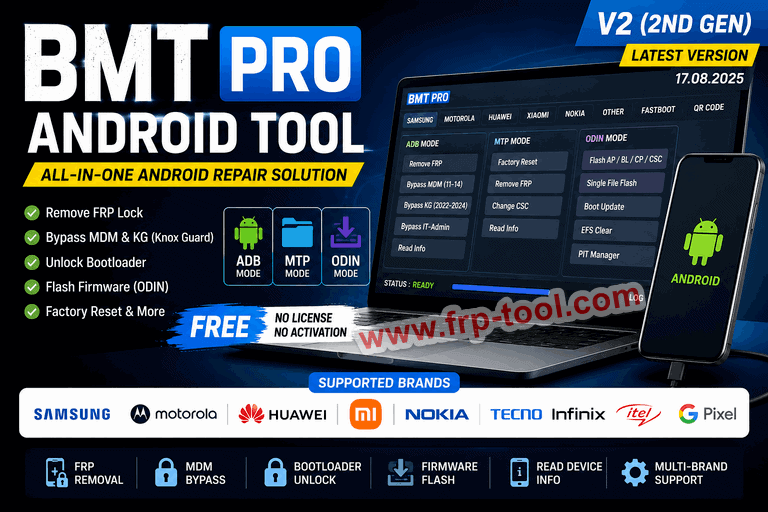
- BMT Pro Android Tool is a free Windows-based utility for Android phone repair, FRP removal, MDM bypass, bootloader unlocking, and firmware flashing.
- Version 2 (2nd Gen), released August 9, 2025, requires no license or paid activation – it runs with auto-filled login credentials.
- It supports Samsung, Motorola, Huawei, Xiaomi, Nokia, Tecno, Infinix, Itel, and Google Pixel devices.
- The tool works across ADB, MTP, and ODIN modes and covers Android 9 through 14+.
- Download the ZIP (70.43 MB), extract it, run the MDM Setup as Administrator, and click Login to start.
What Is BMT Pro Android Tool?
BMT Pro Android Tool is a Windows-based Android servicing program that handles FRP removal, MDM bypass, bootloader unlocking, and firmware flashing across multiple phone brands from a single interface. It is built for mobile repair technicians, service engineers, and advanced users who need one program to cover what previously required several separate tools.
The tool runs in three modes ADB (Android Debug Bridge), MTP (Media Transfer Protocol), and ODIN each designed for different types of operations depending on the phone’s state and the task at hand.
Miror Link:BMT Pro Android Tool
What BMT Pro Android Tool Does: Features by Mode
BMT Pro organizes its functions by connection mode. Here is what each mode covers:
| Mode | Supported Functions |
|---|---|
| ADB Mode | Remove FRP, bypass MDM (Android 11-14), bypass KG, bypass IT-Admin, read device info |
| MTP Mode | Factory reset, remove FRP, change CSC, read device info |
| ODIN Mode | Flash AP/BL/CP/CSC files, single file flash, boot update, EFS clear, PIT file management |
| Fastboot (FB) | Bootloader unlock/lock, BL to EDL, FB to EDL conversion |
| QR Code | Unlock Samsung devices running Android 9-14 using serial number scan |
The 2nd Gen release (V17.08.2025) added MDM removal via app for Android 15 (Security Patch 2025) and fixed the KG Relock issue present in earlier versions.
Supported Brands and What the Tool Can Do for Each
Samsung
BMT Pro covers the widest range of Samsung functions. In ADB mode it removes FRP, bypasses KG (Knox Guard) for Security patches 2022-2024, and resets IT-Admin restrictions on all Android versions. MTP mode handles factory resets and CSC changes. ODIN integration supports full firmware flashing including AP, BL, CP, and CSC file types. QR Code unlock works on Android 9 through 14.
Motorola
The tool reads device information, manages QCN files, unlocks MDM on Qualcomm (QLC) and MediaTek (MTK) chipsets, and handles bootloader lock and unlock via Fastboot.
Huawei
Available functions include Fastboot-based FRP removal, bootloader lock/unlock, reboot to bootloader or eRecovery mode, reading device information, and firmware flashing via Dload mode.
Xiaomi
BMT Pro reads device information, unlocks the bootloader via Fastboot, converts BL to EDL mode, converts Fastboot to EDL, and supports sideload operations.
Nokia
The Nokia tab focuses on MDM bypass (Security patch years 2023, 2024, 2025), IT-Admin bypass across all Android OS versions, and bootloader operations.
Other Brands
The tool also supports Tecno, Infinix, Itel, and Google Pixel for Auth Bypass, OTA disable, screen unlock, Xiaomi Mi Cloud Reset, Demo Unlock, and factory reset operations.
How to Download BMT Pro Android Tool
The latest version, BMT Pro Android Tool V2 (2nd Gen), is available as a free download with no license or activation required. The file is named BMT_Pro_Tool V2.zip and is 70.43 MB in size.
The official download page is at bmt-pro.com/download.php, last updated August 24, 2025. Third-party mirror sites also host the file – use only sources that clearly display the file name, size, and a publish date from August 2025 or later.
How to Install and Set Up BMT Pro Android Tool
Step 1: Download and Extract the ZIP File
Download BMT_Pro_Tool V2.zip from the official site or a verified mirror. Once the download is complete, right-click the ZIP file and extract it to a folder on your C: drive – not the desktop or Downloads folder, as path issues can cause errors.
Step 2: Disable Antivirus Temporarily
Disable your antivirus temporarily before running the installer to avoid false-positive blocks during setup. Re-enable it once the tool is installed. This is standard practice for Android service tools, which interact with system-level drivers that antivirus programs sometimes flag incorrectly.
Step 3: Run MDM Setup as Administrator
Open the extracted folder, find the MDM Setup file, right-click it, and select “Run as Administrator.” Click OK when prompted.
Step 4: Log In
A login window opens with pre-filled credentials. Click Login – no manual entry is needed. The 2nd Gen version uses auto-filled credentials, so there is no separate activation step.
Step 5: Connect Your Device and Select a Function
Connect your Android phone via USB cable. Select the brand tab (Samsung, Motorola, Huawei, etc.), choose the connection mode (ADB, MTP, or ODIN), and pick the function you need. Follow any on-screen prompts the tool displays.
Common Problems and How to Fix Them
| Problem | Likely Cause | Fix |
|---|---|---|
| Tool won’t launch after setup | Not run as Administrator | Right-click the .exe and choose “Run as Administrator” |
| Device not detected | USB drivers missing | Install the brand-specific USB driver (Samsung, MTK, Qualcomm) before connecting |
| Antivirus blocks the install | False-positive on service tool | Temporarily disable real-time protection during extraction and install |
| Login screen appears without auto-fill | Older version still installed | Uninstall the previous version, then reinstall the V2 package fresh |
| ADB function fails | USB debugging not enabled | Enable USB Debugging in Settings > Developer Options on the phone |
| ODIN flash aborted mid-process | Wrong file selected or EFS issue | Match the correct AP/BL/CP/CSC files to the exact device model number |
What’s New in BMT Pro Android Tool V2 (2nd Gen)
BMT Pro Android Tool V17.08.2025 (2nd Gen) was released on August 9, 2025. The key changes compared to the first generation are:
- MDM removal via app method added for Android 15 devices with Security Patch 2025
- KG Relock issue fixed
- Auto-login enabled – no manual credentials or license key needed
- Bug fixes across ADB and MTP functions
- Expanded brand support including Tecno, Infinix, Itel, and Pixel
The original BMT Pro required a paid login or a cracked loader. Version 2 removed that requirement entirely.
Is BMT Pro Android Tool Safe to Use?
The tool itself is safe when downloaded from the official site or a verified mirror with the correct file size (70.43 MB). The main risk is downloading a modified version from an unverified source, which may include malware bundled with the tool.
Use the tool only on devices you own or have explicit permission to repair. Always back up important data before performing resets or flashing. Make sure drivers and firmware files come from trusted sources.
Unlocking or bypassing security features on devices you do not own may be illegal depending on your country’s laws. Check local regulations before using bypass functions professionally.
Frequently Asked Questions About BMT Pro Android Tool
What is BMT Pro Android Tool?
BMT Pro Android Tool is a free Windows program for Android phone servicing. It removes FRP locks, bypasses MDM and KG restrictions, unlocks bootloaders, and flashes firmware across Samsung, Motorola, Huawei, Xiaomi, Nokia, and other brands from one interface.
How do I download BMT Pro Android Tool for free?
Go to bmt-pro.com/download.php or a verified mirror site. Download BMT_Pro_Tool V2.zip (70.43 MB), extract the file, run MDM Setup as Administrator, and click Login. No license key or paid activation is required for the 2nd Gen version.
What Android versions does BMT Pro support?
BMT Pro Android Tool supports Android versions 9 through 14+, covering both older devices with FRP locks and newer flagships with tighter security patches.
What is the difference between ADB mode and MTP mode in BMT Pro?
ADB mode connects to the phone through Android Debug Bridge and handles FRP removal, MDM bypass, KG bypass, and device info reading while the phone is on. MTP mode connects as a storage device and is used for factory resets, CSC changes, and FRP removal when ADB is not available.
Does BMT Pro Android Tool work on Windows 11?
Yes. BMT Pro runs on Windows-based systems. No specific Windows version restriction is listed in the tool’s documentation. Run the setup file as Administrator regardless of your Windows version to avoid permission errors.
What is the file size of BMT Pro Android Tool V2?
The download package, BMT_Pro_Tool V2.zip, is 70.43 MB.
Can BMT Pro remove MDM on Android 15?
Yes. The 2nd Gen version added MDM removal via the app method specifically for Android 15 devices running Security Patch 2025. Earlier Android versions (11-14) use the standard ADB-based MDM removal method.
Key Takeaways
- BMT Pro Android Tool V2 (2nd Gen) is a free, no-activation Android servicing tool released August 9, 2025.
- It covers Samsung, Motorola, Huawei, Xiaomi, Nokia, Tecno, Infinix, Itel, and Pixel devices.
- Three modes – ADB, MTP, and ODIN – handle different functions depending on the phone’s state.
- Download the 70.43 MB ZIP from bmt-pro.com, extract it, run MDM Setup as Administrator, and click Login.
- Always download from the official site or a verified mirror to avoid tampered files, and use the tool only on devices you own or are authorized to repair.